
 EN
EN  SV
SV Read the conversation, not a text dump
Open a recording from Library. The player, summary, topics, tags, MCP privacy control, and transcript share one surface. Each line keeps its speaker and time range, so important wording is always one click from the source audio.
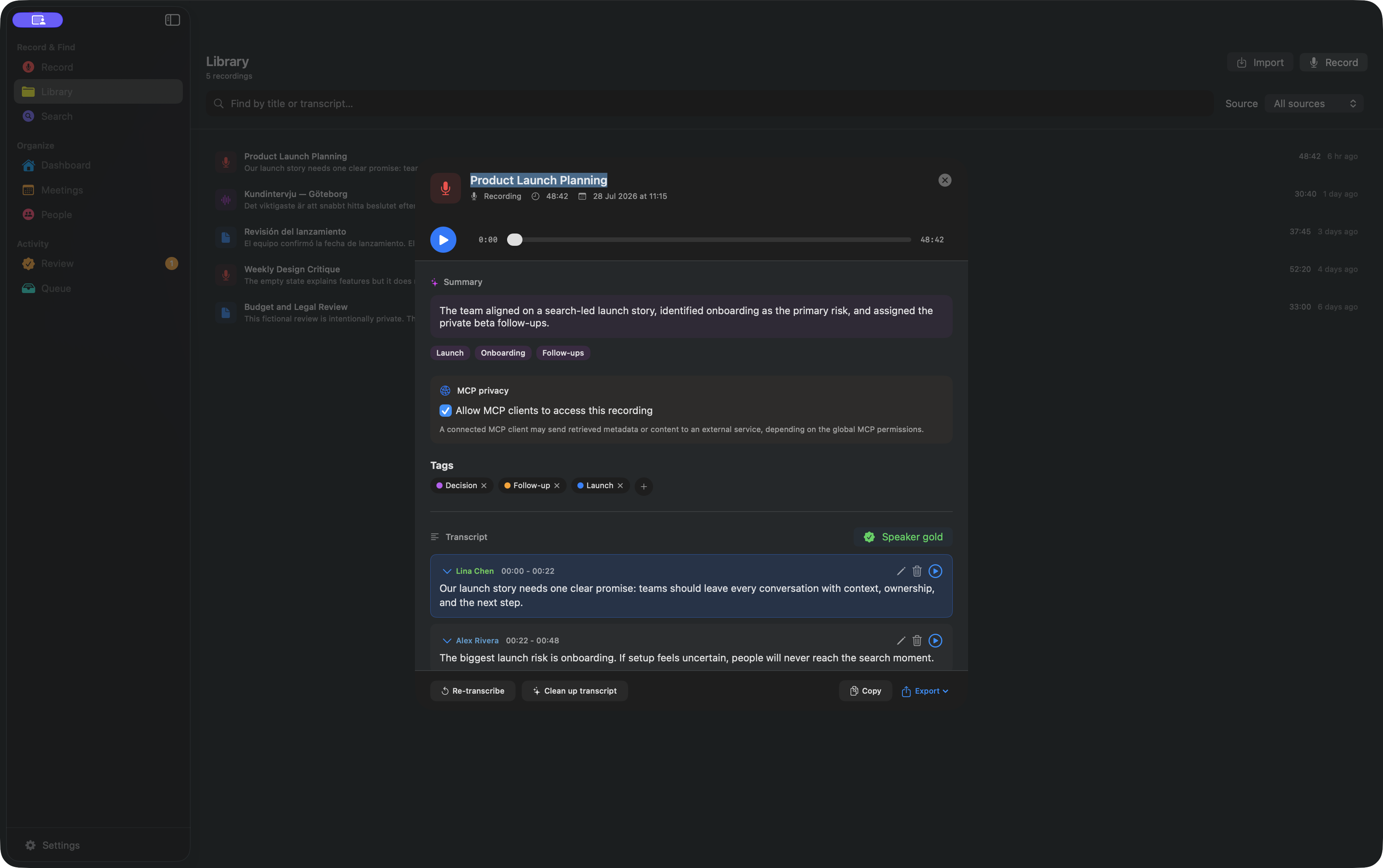
Correct recurring speaker names before relying on attribution for a decision, quotation, or follow-up. Confirmed names can improve how familiar voices appear later.
Review uncertainty instead of hiding it
AlmRecorder flags likely repetition, silence artifacts, and other suspicious lines. Hard evidence can hide an artifact while preserving its original text; uncertain lines wait for you in Review.

Search with the words—or just the idea
Open Search and choose:
- Best for combined keyword and semantic matching.
- Keyword for a remembered name, phrase, or number.
- Semantic for an idea whose exact wording you forgot.
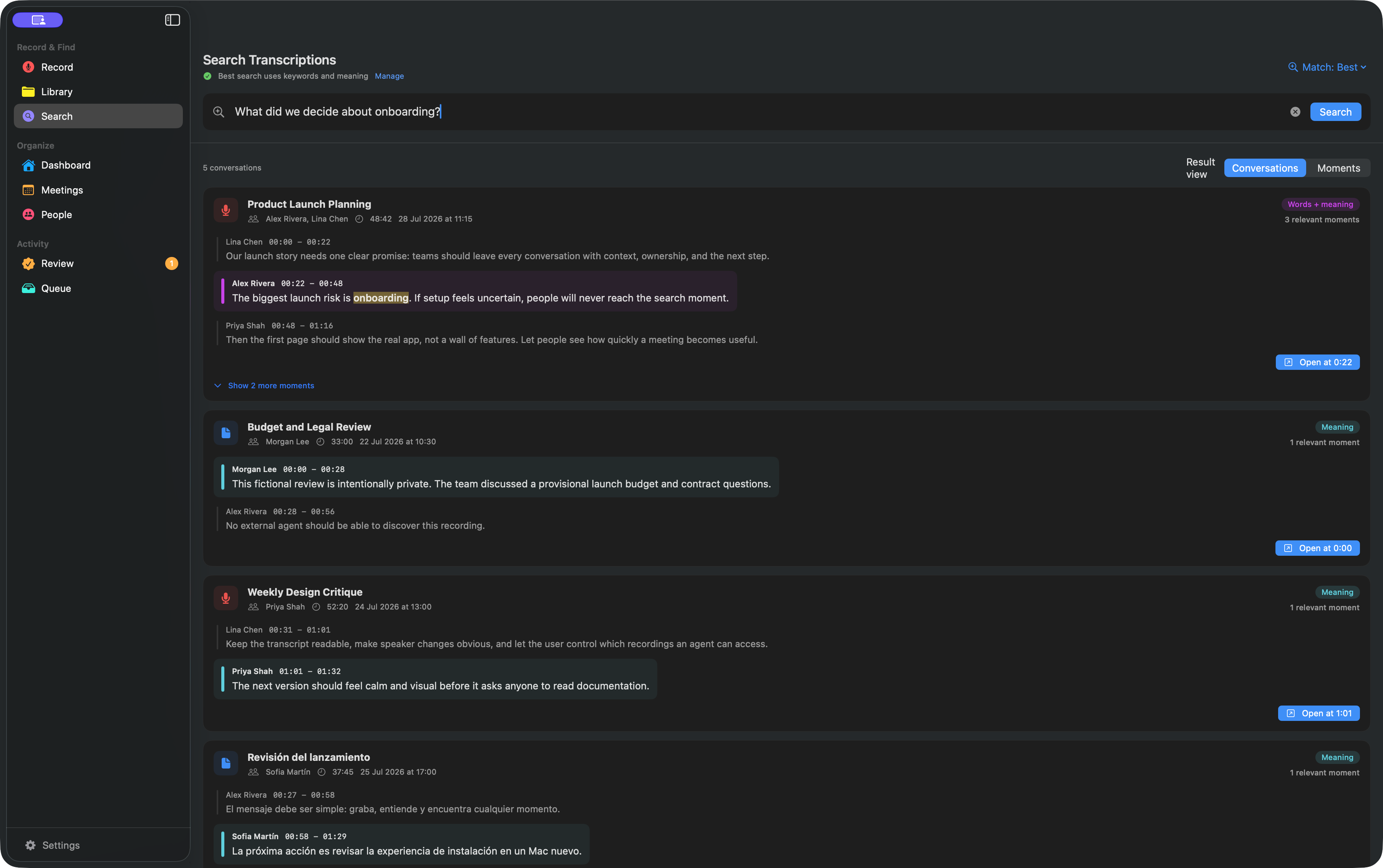
Keyword search is available as soon as the foreground VibeVoice transcript is saved; it does not wait for nightly Whisper or Gemma refinement. Semantic search requires the local embedding model and completed embedding jobs. If a later high-confidence repair changes text, AlmRecorder queues the affected rows for indexing again.
Organize and export
Use tags for projects, people, decisions, and follow-ups. Dashboard filters help narrow the library; privacy tags can also hide whole groups from MCP.
Export formats are TXT, Markdown, SRT, and WebVTT. An exported file or clipboard copy is outside AlmRecorder’s privacy controls, so store it appropriately.
Next: connect an AI assistant.